PiHub: my small private control room
Yes, you can run your own Python server on a Raspberry Pi — here is what that looks like in practice.
The short answer is: yes, you can run your own Python server on a Raspberry Pi. PiHub is proof of that. It has been sitting on my desk, running quietly, handling a growing list of small automations that I would otherwise have spread across cron jobs, spreadsheets and browser bookmarks.
What PiHub is
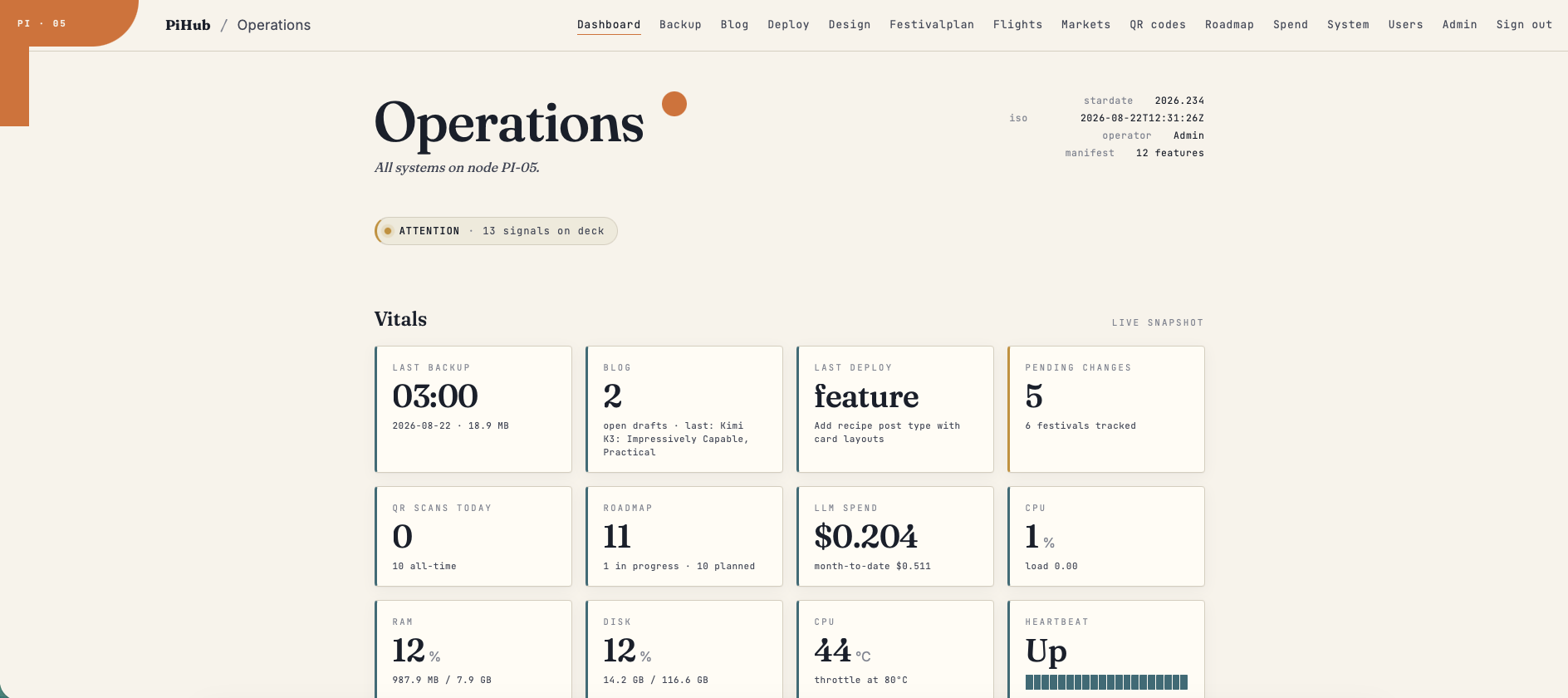
PiHub is a private operations hub built with FastAPI, PostgreSQL and Jinja2 templates. The core idea is that every user-facing tool lives in its own feature folder. A feature brings its own routes, database setup, templates, scheduled jobs and dashboard cards. Adding a new tool means dropping in a new folder — not rewiring the whole application.
It currently handles:
- System monitoring
- Market price tracking
- Flight price watching
- FestivalPlan scraping
- QR scan tracking
- Backups and deployment helpers
It is not a polished public SaaS product. It is more like a small bridge console for my own automations — a place where I can see what is happening and trigger things without opening a terminal.
The blog feature
The newest addition is a full blog publishing workflow. It lives at:
app/features/blog/The feature lets me create drafts, attach files or images, ask Claude to generate a structured post, validate the result, preview it, revise it, and publish it by FTP. It supports two kinds of content: normal field-note posts and recipe posts with structured ingredients, timings, difficulty, servings and FAQ.
The folder is split cleanly by responsibility:
__init__.py— registers the Blog page in PiHubroutes.py— handles drafts, previews, publishing, downloads and file descriptionsdb.py— stores drafts, generated JSON, rendered HTML and publish statusllm.py— calls Claude through PiHub's central LLM wrappervalidate.py— checks generated content before it can go livebuild.py— renders static HTML pages from templatesftp.py— uploads finished files to the live websiteassets/— static blog templates and CSStemplates/blog/— the PiHub admin interface
Strict JSON, not loose text
The AI is not allowed to return free-form text. It must return strict JSON, and that JSON is validated before anything can be published. The validator checks categories, permalinks, excerpts, allowed HTML tags, image references and recipe structure. If it does not pass, the post does not move forward.
This matters because it keeps the output predictable. A blog post is a structured artifact, not a chat reply. Treating it that way from the start means the renderer and the FTP uploader always get exactly what they expect.
How publishing works
When a post passes validation and I approve the preview, PiHub:
- Downloads the existing
data/posts.jsonfrom the live site - Appends the new post entry
- Renders the post's static HTML page
- Uploads attachments
- Refreshes the static index and category pages
There is also a manual ZIP export path for cases where FTP is not configured. Either way, the output is a set of plain static files — no server-side rendering on the public site.
What I learned
The feature-folder structure has held up well. Each new tool is genuinely self-contained, and the blog feature did not require touching anything outside its own folder to get working. The trade-off is some duplication — each feature has its own database setup and route registration boilerplate — but that feels like a reasonable price for isolation.
Running this on a Raspberry Pi has not been a constraint in practice. FastAPI starts fast, PostgreSQL handles the load without complaint, and the machine draws very little power sitting idle. The main limitation is that I would not want to expose it to public traffic without more hardening. But for a private control room, it is exactly the right size.
This post was drafted, generated, validated and published using the blog feature itself.